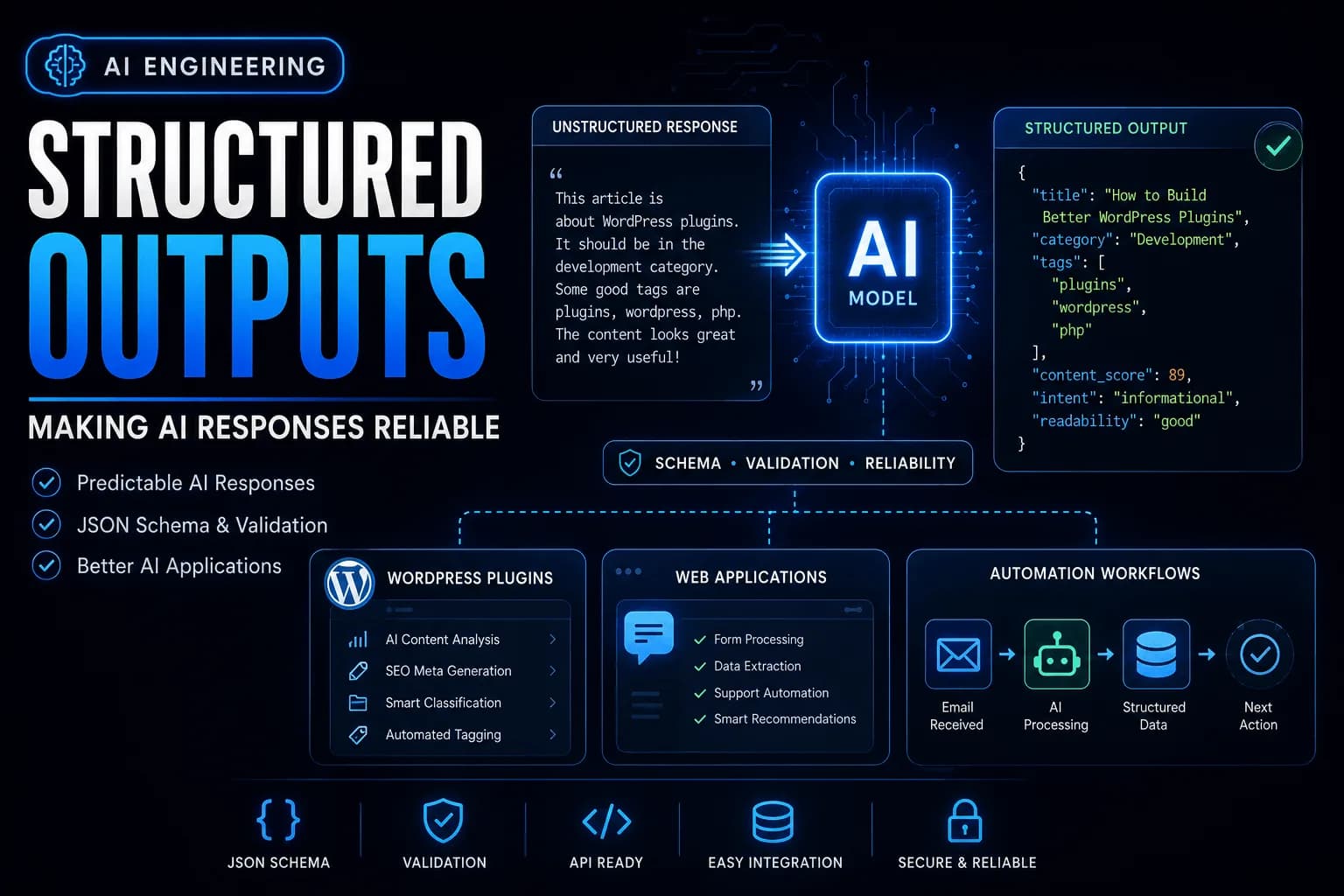
Why AI Applications Need Structured Outputs
Large Language Models are remarkably good at understanding natural language and generating useful responses. They can summarize documents, extract information, classify content, generate code, answer questions, and even control complex application workflows.
But there is a fundamental difference between generating an answer for a person and generating data for software.
A person can understand a response such as:
"The article is about artificial intelligence, it should be published next week, and I would categorize it under technology."
An application cannot reliably work with that sentence.
It needs predictable data.
It might need something like:
{
  "topic": "artificial intelligence",
  "category": "technology",
  "publish_date": "2026-08-19"
}
This difference becomes increasingly important when AI is integrated into WordPress plugins, web applications, APIs, and automation workflows.
This is where Structured Outputs become useful.
What Are Structured Outputs?
Structured Outputs allow developers to define the format an AI response should follow instead of allowing the model to return completely free-form text.
The developer defines a schema describing the expected response.
For example, a content analysis feature might require:
{
  "title": "string",
  "category": "string",
  "tags": "array",
  "summary": "string"
}
The AI then produces data that follows that structure.
The important difference is that the application isn't simply asking:
"Analyze this article."
It's effectively saying:
"Analyze this article and return the result using this specific structure."
The model remains responsible for understanding the input and generating the values, while the schema provides a predictable contract between the AI and the application.
A simplified workflow looks like this:
User Input
    │
    ▼
Large Language Model
    │
    ▼
Structured Output
    │
    ▼
Application Validation
    │
    ▼
WordPress / Web App / Automation
This makes AI much easier to integrate into software because the application knows what kind of data it should receive.
Why Normal AI Responses Can Be Difficult to Use
Without structured output, developers often rely on prompts such as:
"Return the title, category, and tags as JSON."
The model may follow the instruction correctly.
But the application still has to deal with the possibility of inconsistent responses.
For example, one response might be:
{
  "title": "Introduction to AI",
  "category": "Technology",
  "tags": ["AI", "Machine Learning"]
}
Another might return:
{
  "post_title": "Introduction to AI",
  "categories": ["Technology"],
  "keywords": "AI, Machine Learning"
}
Both responses contain useful information, but they don't follow the same structure.
For a human, this difference is insignificant.
For software, it can break the workflow.
Your application may be expecting:
title
category
tags
but receive:
post_title
categories
keywords
Now additional parsing logic is required.
Developers may end up writing regular expressions, fallback conditions, response cleanup, or custom parsing rules just to make AI output usable.
This becomes increasingly difficult as the application grows.
Valid JSON Isn't Enough
A common misconception is that asking an LLM to return JSON solves the problem.
It doesn't necessarily.
There is an important difference between valid JSON and structured output that follows a predefined schema.
For example, this is valid JSON:
{
  "name": "John",
  "age": "thirty"
}
But if your application expects age to be an integer, the response is still problematic.
Similarly, an application might expect:
{
  "tags": ["wordpress", "ai", "automation"]
}
but receive:
{
  "tags": "wordpress, ai, automation"
}
The JSON itself is valid.
The data structure isn't what the application expected.
Structured Outputs address this problem by defining the expected shape and data types before the model generates its response.
Structured Outputs in a WordPress Plugin
Consider a WordPress plugin that uses AI to analyze blog posts.
The plugin might send the content to an LLM and ask it to determine:
Suggested title
Category
Tags
SEO description
Content score
Instead of returning a paragraph, the plugin needs predictable fields that PHP can process.
For example:
{
  "title": "Understanding WordPress REST APIs",
  "category": "WordPress",
  "tags": [
    "WordPress",
    "REST API",
    "PHP"
  ],
  "seo_description": "Learn how the WordPress REST API works and how developers can use it to build connected applications.",
  "content_score": 87
}
The plugin can then use those fields programmatically.
It could populate WordPress post metadata, suggest categories, generate tags, or display the analysis inside an administration interface.
The AI is no longer simply generating text for a person to read.
It's producing data that becomes part of an application workflow.
Structured Outputs in Web Applications
The same concept becomes even more useful in web applications.
Imagine a support application where a user writes:
"I can't log in and I started seeing this problem after changing my password."
The AI could classify the request and return:
{
  "category": "authentication",
  "priority": "medium",
  "sentiment": "frustrated",
  "requires_human": false
}
The frontend or backend can then use those values to determine what happens next.
For example:
AI Response
     │
     ├── category → Authentication
     │
     ├── priority → Medium
     │
     ├── sentiment → Frustrated
     │
     └── requires_human → false
The application can route the ticket, assign a priority, display the appropriate interface, or trigger another workflow.
The AI provides the interpretation.
The application provides the execution.
Structured Outputs in Automation
Automation workflows are another natural use case.
Imagine an automation that receives customer emails and uses AI to extract important information.
Instead of returning a paragraph such as:
"The customer is Sarah, she wants to cancel her subscription, and her account number is 45821."
the AI can return:
{
  "customer_name": "Sarah",
  "intent": "cancel_subscription",
  "account_id": "45821"
}
An automation platform can then use each field independently.
Incoming Email
      │
      ▼
      AI
      │
      ▼
Structured Data
      │
      ├── Customer → CRM
      │
      ├── Intent → Workflow
      │
      └── Account ID → Subscription System
This is where Structured Outputs become particularly powerful.
They allow AI to become one component inside a larger software workflow rather than being the final destination of the interaction.
Structured Outputs Create a Contract Between AI and Software
Traditional application programming relies heavily on contracts.
An API defines what requests it accepts and what responses it returns.
A database defines the structure of its records.
A function defines its parameters.
AI applications need the same kind of predictability.
Without structure, the boundary between the model and your application remains ambiguous.
With a defined schema, the application knows what to expect.
AI Model
   │
   │ Structured Schema
   ▼
Predictable Data
   │
   ▼
Application Logic
This makes AI integrations easier to validate, test, debug, and maintain.
It also changes how developers think about LLMs.
Instead of treating the model purely as a chatbot that generates text, you can treat it as a component that transforms unstructured information into structured data your software can understand.
In the next part, we'll move into implementation and look at how Structured Outputs are defined using schemas, how the OpenAI API handles them, and how to consume structured AI responses in practical WordPress, web application, and automation workflows.
How Structured Outputs Work
In the first part, we looked at why AI-generated text can be difficult for software to consume and how Structured Outputs create a predictable contract between an AI model and an application.
Now we can look at the implementation.
The basic idea is straightforward: define the structure your application expects, send that schema along with the request, and let the model populate the fields.
For the examples in this section, we'll use OpenAI's API. The same architectural principle applies to other AI providers, although their APIs and schema capabilities can differ. OpenAI's current API supports Structured Outputs through a JSON Schema response format, with strict schema adherence available for supported models.
Defining a Schema
Let's start with a practical example.
Imagine a WordPress plugin that analyzes an article and needs the AI to return SEO recommendations.
Instead of asking the model to "return some SEO suggestions," the plugin can define exactly what it needs:
{
  "type": "object",
  "properties": {
    "title": {
      "type": "string"
    },
    "meta_description": {
      "type": "string"
    },
    "category": {
      "type": "string"
    },
    "tags": {
      "type": "array",
      "items": {
        "type": "string"
      }
    },
    "score": {
      "type": "integer"
    }
  },
  "required": [
    "title",
    "meta_description",
    "category",
    "tags",
    "score"
  ],
  "additionalProperties": false
}
The schema describes the shape of the response.
The application expects:
This is much more precise than simply telling the model to "return JSON."
The schema becomes the contract between the model and the application.
Structured Outputs with the OpenAI API
OpenAI's API supports Structured Outputs by specifying a JSON Schema response format. With strict mode enabled, the model is constrained to the supplied schema for supported schemas and models.
A simplified request can look like this:
$response = $client->responses()->create([
    'model' => 'gpt-5',

    'input' => [
        [
            'role' => 'user',
            'content' => $articleContent
        ]
    ],

    'text' => [
        'format' => [
            'type' => 'json_schema',

            'name' => 'seo_analysis',

            'strict' => true,

            'schema' => [
                'type' => 'object',

                'properties' => [
                    'title' => [
                        'type' => 'string'
                    ],

                    'meta_description' => [
                        'type' => 'string'
                    ],

                    'category' => [
                        'type' => 'string'
                    ],

                    'tags' => [
                        'type' => 'array',
                        'items' => [
                            'type' => 'string'
                        ]
                    ],

                    'score' => [
                        'type' => 'integer'
                    ]
                ],

                'required' => [
                    'title',
                    'meta_description',
                    'category',
                    'tags',
                    'score'
                ],

                'additionalProperties' => false
            ]
        ]
    ]
]);
The important part isn't the exact SDK syntax. The important concept is that the response format contains a JSON Schema definition rather than simply asking the model to produce JSON.
OpenAI distinguishes this from its older JSON mode: JSON mode is designed to produce valid JSON, while Structured Outputs with json_schema are intended to make the output conform to the supplied schema.
Reading the Structured Response
Once the model has processed the article, your application receives structured data that can be consumed programmatically.
For example:
{
  "title": "How to Build Better WordPress Plugins",
  "meta_description": "Learn practical techniques for building maintainable and scalable WordPress plugins.",
  "category": "WordPress Development",
  "tags": [
    "WordPress",
    "PHP",
    "Plugin Development"
  ],
  "score": 91
}
Your PHP application can now access individual values normally:
$title = $result['title'];

$description = $result['meta_description'];

$category = $result['category'];

$tags = $result['tags'];

$score = $result['score'];
The important difference is that the application doesn't need to guess where the information is located.
The schema already established the expected structure.
Using Structured Outputs in a WordPress Plugin
This becomes particularly useful when AI is part of an actual WordPress workflow.
Imagine a custom plugin with an "Analyze Content" button in the WordPress admin.
The workflow could look like this:
WordPress Editor
       │
       ▼
"Analyze Content"
       │
       ▼
Plugin Backend
       │
       ▼
AI Model
       │
       ▼
Structured Output
       │
       ▼
Plugin Validation
       │
       ├── SEO Title
       ├── Meta Description
       ├── Category
       ├── Tags
       └── Score
The plugin can then use those values to populate fields or present recommendations to the editor.
For example:
update_post_meta(
    $post_id,
    '_seo_score',
    $result['score']
);
Or it could suggest tags:
foreach ($result['tags'] as $tag) {

    // Use the suggested tags inside
    // the WordPress workflow.
}
The AI isn't controlling WordPress directly.
It produces structured information, and the plugin decides what to do with that information.
That distinction becomes particularly important when AI output can trigger changes to a live website.
Structured Outputs in a Web Application
The same pattern works outside WordPress.
Imagine a web application where users submit support requests.
A user might write:
"I can't access my account after changing my password, and I need access before today's meeting."
The application could send that message to an AI model and request:
{
  "category": "authentication",
  "priority": "high",
  "sentiment": "frustrated",
  "requires_human": true
}
The frontend or backend can then use those values to determine what happens next.
Support Request
      │
      ▼
      AI
      │
      ▼
Structured Output
      │
      ├── Category → Authentication Queue
      │
      ├── Priority → High
      │
      ├── Sentiment → Frustrated
      │
      └── Human Review → Required
The model handles the interpretation.
The application handles the workflow.
This separation makes it much easier to integrate AI into existing software without allowing the model to control the entire application.
Structured Outputs in Automation
Automation is another area where predictable AI responses are extremely valuable.
Consider an automation workflow that receives incoming emails.
The AI might be asked to extract:
Instead of returning a paragraph, the model can produce:
{
  "customer_name": "Sarah Ahmed",
  "intent": "cancel_subscription",
  "account_id": "45821",
  "urgency": "high",
  "requires_human": true
}
The automation platform can then use each field independently.
Incoming Email
      │
      ▼
      AI
      │
      ▼
Structured Data
      │
      ├── Customer → CRM
      │
      ├── Intent → Cancellation Workflow
      │
      ├── Account ID → Subscription System
      │
      └── Human Review → Support Team
This is one of the most useful ways to think about Structured Outputs.
AI becomes a data transformation step inside an existing workflow.
It takes unstructured information and turns it into predictable data that other systems can consume.
Handling Nested Data
Structured Outputs aren't limited to simple key-value pairs.
Real applications often need nested objects and arrays.
For example, an AI-powered lead qualification system might return:
{
  "customer": {
    "name": "Sarah Ahmed",
    "company": "Example Technologies"
  },
  "qualification": {
    "score": 87,
    "priority": "high"
  },
  "interests": [
    "AI Automation",
    "WordPress",
    "API Integration"
  ]
}
A schema can represent this hierarchy.
{
  "type": "object",
  "properties": {
    "customer": {
      "type": "object",
      "properties": {
        "name": {
          "type": "string"
        },
        "company": {
          "type": "string"
        }
      },
      "required": [
        "name",
        "company"
      ],
      "additionalProperties": false
    },
    "qualification": {
      "type": "object",
      "properties": {
        "score": {
          "type": "integer"
        },
        "priority": {
          "type": "string"
        }
      },
      "required": [
        "score",
        "priority"
      ],
      "additionalProperties": false
    },
    "interests": {
      "type": "array",
      "items": {
        "type": "string"
      }
    }
  },
  "required": [
    "customer",
    "qualification",
    "interests"
  ],
  "additionalProperties": false
}
This allows applications to represent more complex business data without falling back to unstructured text.
Structured Outputs vs Function Calling
Structured Outputs and Function Calling are closely related, but they solve different problems.
Structured Outputs control the structure of the information the model returns.
Function Calling allows the model to request that your application execute a specific function.
For example:
Structured Outputs

User
  │
  ▼
LLM
  │
  ▼
Structured JSON
  │
  ▼
Application
While Function Calling looks more like:
Function Calling

User
  │
  ▼
LLM
  │
  ▼
Tool Request
  │
  ▼
Application Function
  │
  ▼
Result
  │
  ▼
LLM
They can also be combined.
For example, an AI assistant could use Function Calling to retrieve information from a CRM and then use Structured Outputs to return the final analysis in a predictable format.
This combination becomes particularly useful when AI is being integrated into larger applications and automation workflows.
Validation Still Matters
Structured Outputs significantly improve reliability, but developers shouldn't treat them as a replacement for application-level validation.
Your application should still verify that the returned values make sense for the operation being performed.
For example, suppose an AI system returns:
{
  "discount": 95
}
The schema may correctly identify discount as an integer.
But your business logic might only allow discounts between 0 and 50 percent.
The response is structurally valid but business-invalid.
Your application should therefore perform its own validation:
if (
    $discount < 0 ||
    $discount > 50
) {
    throw new InvalidArgumentException(
        'Invalid discount value.'
    );
}
This is an important distinction.
Schema validation checks structure.
Application validation checks business rules.
You need both.
Designing Schemas for Real Applications
A schema should describe what the application actually needs—not everything the model could potentially provide.
For example, if an automation only needs:
customer_name
intent
priority
there is little benefit in asking the model to also generate:
sentiment
summary
language
confidence
keywords
department
location
Every additional field increases the complexity of the contract.
Good schemas are:
The schema should be treated like an API contract.
Changing it can affect the code consuming the response, so schema design deserves the same care you would give to a database structure or public API.
From AI Response to Application Workflow
The real value of Structured Outputs becomes clear when you stop thinking about the response as the final product.
The AI response is often just the beginning of the next operation.
A WordPress plugin can use it to populate metadata.
A web application can use it to route a request.
An automation workflow can use it to trigger another service.
A backend can use it to create a database record.
The pattern becomes:
Unstructured Input
       │
       ▼
   AI Model
       │
       ▼
Structured Output
       │
       ▼
Application Validation
       │
       ▼
Business Logic
       │
       ▼
External System
This is what makes Structured Outputs so important for practical AI development.
They provide a predictable interface between probabilistic language generation and deterministic software.
In the final part, we'll look at what happens when these systems move into production: schema design and versioning, validation, security, handling refusals and failures, Structured Outputs with RAG and Function Calling, and the common mistakes developers should avoid when building AI applications.
Building Reliable AI Applications with Structured Outputs
Structured Outputs solve an important problem: they give applications a predictable structure for working with AI-generated data.
But predictable structure doesn't automatically mean reliable software.
A response can follow the correct schema and still contain an incorrect value. An AI-generated category can be valid but inappropriate. A priority can be "high" even when your business rules require "low". A WordPress plugin can receive perfectly structured metadata that shouldn't actually be published.
Structured Outputs should therefore be treated as one layer of reliability rather than a replacement for application logic.
OpenAI describes Structured Outputs as a way to make model outputs conform to developer-supplied JSON Schemas, while also noting that schema adherence does not prevent mistakes in the actual values.
Schema Design Is Part of Application Design
A schema isn't just a formatting instruction.
It becomes a contract between your AI model and the rest of your application.
That means schema design should be approached in much the same way as designing an API response or database structure.
For example, imagine a WordPress plugin that uses AI to classify content.
A simple schema might contain:
{
  "category": "WordPress",
  "priority": "high",
  "tags": [
    "plugins",
    "php"
  ]
}
This is useful because the application knows exactly which fields it can consume.
However, you should avoid adding fields simply because the model can generate them.
If your plugin only needs:
category
priority
tags
there is little reason to also request:
summary
sentiment
confidence
keywords
author
language
reading_time
unless those values are actually used.
A smaller schema is easier to understand, validate, test, and maintain.
Keep Business Rules Outside the Schema
A schema defines the shape of the response.
Your application should define the rules governing what those values mean.
For example, suppose an AI-powered WordPress plugin returns:
{
  "score": 96,
  "priority": "high"
}
The schema can ensure that score is an integer and priority is a string or one of a predefined set of values.
But it doesn't necessarily determine whether a score of 96 should actually trigger publication.
Your application might have a rule such as:
if (
    $result['score'] >= 90 &&
    $result['priority'] !== 'high'
) {
    // Allow automatic publishing.
}
The AI provides an interpretation.
Your application makes the final decision.
This distinction is extremely important when AI output can change data, trigger workflows, or perform business operations.
Validate the Values
Structured Outputs make the structure predictable, but developers should still validate the actual values.
Consider an automation that extracts a discount percentage:
{
  "discount": 85
}
The response may be structurally correct.
But your application might only allow discounts between 0 and 50 percent.
You still need application-level validation:
$discount = (int) $result['discount'];

if ($discount < 0 || $discount > 50) {
    throw new InvalidArgumentException(
        'Invalid discount percentage.'
    );
}
This gives you two separate layers:
AI Output
    │
    ▼
Schema Validation
    │
    ▼
Application Validation
    │
    ▼
Business Logic
The first layer answers:
"Does this data have the structure we expected?"
The second answers:
"Does this data make sense for our application?"
Both are necessary.
Handle Refusals and Incomplete Responses
A production application also needs to handle cases where the model doesn't return the expected structured object.
Structured Outputs don't mean every request will always produce a normal schema-compliant response.
For example, the model may refuse a request for safety reasons, or generation may stop before the response is complete. OpenAI specifically documents refusal handling and incomplete generation as cases developers need to account for.
Your application should therefore check the response before attempting to process it.
Conceptually:
if ($response->refusal) {

    // Handle the refusal.

} elseif ($response->incomplete) {

    // Handle incomplete generation.

} else {

    // Process structured output.

}
The exact response handling depends on the API and SDK you're using, but the principle remains the same:
Never assume the AI returned exactly what you expected.
Schema Versioning
Schemas often evolve as applications become more sophisticated.
Imagine your first automation expects:
{
  "customer_name": "Sarah",
  "intent": "support"
}
Later, you decide to add:
{
  "customer_name": "Sarah",
  "intent": "support",
  "priority": "high"
}
That change may affect the application consuming the response.
Treat schemas as versioned contracts.
For larger systems, you might use names such as:
customer_request_v1
customer_request_v2
customer_request_v3
This makes it easier to evolve your AI workflow without unexpectedly breaking existing automation or application code.
Structured Outputs and RAG
Structured Outputs become even more useful when combined with Retrieval-Augmented Generation.
RAG provides the model with relevant information.
Structured Outputs determine how the model should return the result.
Imagine a web application that searches its internal knowledge base to answer customer questions.
The retrieved documents provide the context.
The model could then return:
{
  "answer": "Your subscription can be cancelled at any time.",
  "sources": [
    "subscription-policy",
    "billing-faq"
  ],
  "requires_human": false
}
The application can now display the answer, show the relevant sources, and determine whether human intervention is required.
The workflow becomes:
User
  │
  ▼
RAG Retrieval
  │
  ▼
Relevant Context
  │
  ▼
LLM
  │
  ▼
Structured Output
  │
  ▼
Application
This combination is particularly useful for knowledge assistants, internal search systems, and customer support applications.
Structured Outputs and Function Calling
Structured Outputs can also work alongside Function Calling.
These capabilities solve different problems.
Function Calling tells the application:
"I want to use this tool with these arguments."
Structured Outputs can tell the application:
"Here is the final result in this exact structure."
For example, an AI support application might use Function Calling to retrieve a customer's account information:
find_customer()
       │
       ▼
Customer Data
       │
       ▼
LLM
The final result could then follow a schema:
{
  "customer_name": "Sarah Ahmed",
  "account_status": "active",
  "open_tickets": 2,
  "requires_human": false
}
The first operation retrieves data.
The second produces predictable application output.
This separation makes complex AI workflows easier to design.
Structured Outputs and AI Agents
As AI applications become more autonomous, structured data becomes even more important.
An AI agent may need to:
Understand a request.
Retrieve information.
Call tools.
Evaluate results.
Decide what to do next.
Return a final result.
If every step produces arbitrary text, the workflow becomes difficult to control.
Structured outputs provide predictable boundaries between those steps.
For example:
User Request
     │
     ▼
Agent
     │
     ▼
Tool Call
     │
     ▼
Tool Result
     │
     ▼
Structured Decision
     │
     ▼
Next Action
The more complex the workflow becomes, the more valuable predictable interfaces become.
This is one reason Structured Outputs are useful beyond simple data extraction.
They can become part of the architecture of an entire AI workflow.
Security Still Matters
Structured data does not automatically make an AI application secure.
A schema can ensure that an AI response contains:
action
user_id
reason
But it doesn't mean the application should blindly execute the requested action.
Imagine a WordPress plugin receives:
{
  "action": "delete_user",
  "user_id": 42,
  "reason": "requested by user"
}
The response may be perfectly structured.
That doesn't mean the user has permission to delete account 42.
The application still needs authentication and authorization.
The same principle applies to automation workflows.
Never assume that structured AI output is trusted input.
Treat it like any other external input entering your application.
Avoid Overly Complex Schemas
Developers sometimes try to describe an entire application inside one schema.
This usually makes the AI workflow harder to understand and maintain.
Instead of creating one enormous structure containing every possible field, divide complex operations into smaller steps.
For example:
Extract Customer
       │
       ▼
Classify Request
       │
       ▼
Determine Priority
       │
       ▼
Trigger Workflow
Each step can have a focused schema.
This makes failures easier to identify and gives developers more control over the system.
Smaller tasks are also easier to test independently.
Structured Outputs Don't Eliminate Hallucinations
This is probably the most important limitation to understand.
Structured Outputs can make the model return:
{
  "customer_name": "John Smith",
  "account_status": "active"
}
in exactly the structure you requested.
But that doesn't guarantee that John Smith actually exists or that the account is actually active.
The model can still generate an incorrect value inside a perfectly valid structure.
OpenAI explicitly notes that Structured Outputs don't prevent all model mistakes within the values themselves.
This is why structured output should be combined with:
The schema provides reliability at the interface level.
It doesn't turn the language model into a database or source of truth.
Common Mistakes
There are several mistakes developers should avoid when implementing Structured Outputs.
Treating JSON Mode as Structured Outputs
Valid JSON isn't the same as schema-constrained output. OpenAI explicitly distinguishes JSON mode from Structured Outputs: JSON mode ensures valid JSON, while Structured Outputs are designed to match a supplied schema.
Trusting AI-Generated Values
A structurally valid response can still contain incorrect information.
Making Schemas Too Large
Large schemas make applications harder to maintain and can make workflows unnecessarily complicated.
Putting Business Logic in the Prompt
Prompts can provide instructions, but critical business rules should be enforced by application code.
Skipping Error Handling
Refusals, incomplete responses, API failures, and validation errors all need explicit handling.
Treating AI as the Source of Truth
For business-critical information, the database or external system should remain the source of truth.
Where Structured Outputs Are Most Useful
The pattern works particularly well when AI sits between unstructured input and deterministic software.
WordPress
Structured Outputs can power:
Web Applications
They can support:
Automation
They can help with:
Email processing
Lead qualification
Document extraction
CRM updates
Workflow routing
Data synchronization
In all three cases, the same principle applies:
Unstructured Information
          │
          ▼
       AI Model
          │
          ▼
 Structured Information
          │
          ▼
   Application Logic
          │
          ▼
    Business System
Final Thoughts
Structured Outputs address one of the biggest challenges in practical AI development: the gap between flexible language generation and the predictable data required by software.
An LLM can understand a paragraph, email, support request, document, or user instruction. Structured Outputs allow that understanding to be transformed into a defined data structure that an application can consume.
For WordPress plugins, this might mean turning an article into SEO metadata or content classifications.
For web applications, it might mean turning a user's message into a structured support request.
For automation, it might mean turning an email into customer information and workflow instructions.
But Structured Outputs should not be viewed as a guarantee that an AI system is correct.
They provide a reliable interface, not a reliable source of truth.
The strongest AI applications combine structured schemas with application-level validation, authentication, business rules, retrieval, tool execution, logging, and appropriate human oversight.
Once you start treating AI output as a structured component of your software architecture rather than simply text generated by a chatbot, it becomes much easier to build AI systems that are predictable, testable, and maintainable.
That shift—from AI generating text to AI producing data that software can reliably use—is one of the most important steps toward building production-ready AI applications.